 gautier.dev
JSX's not React
You might think JSX and React are the same thing: React is the language, JSX the file extension, and the two are inseparable.
Think again!
JSX is a syntax extension for JavaScript (like TypeScript, or CoffeeScript if you’re old); React is a front-end library. You can use one without the other.
#What is JSX?
JSX, short for JavaScript XML, itself short for Extensible Markup Language, is a syntax extension for JavaScript that allows writing XML-like embeds anywhere an expression is accepted:
function foo() {
  const bar = <h1>Hello, world!</h1>;

  console.log(<strong>Hey</strong>);

  return <div>I'm also valid JSX</div>;
}
Under the hood, JSX expressions are transformed into regular JS function calls:
function foo() {
  const bar = jsx("h1", { children: "Hello, world!" });

  console.log(jsx("strong", { children: "Hey" }));

  return jsx("div", { children: "I'm also valid JSX" });
}
Where does this jsx function come from? By default, tools will try to import it from react/jsx-runtime (JSX and React are, after all, often used together), but this behavior can be customized.
The @jsxImportSource pragma (which I just discovered is short for pragmatic information) allows importing the jsx function from a different source:
/** @jsxImportSource my-lib */

// will be transformed into

import { jsx } from "my-lib/jsx-runtime";
…which opens the door to using the JSX syntax with libraries other than React. And I just realized I’m writing two articles in a row about templating in JS.
#Writing actual XML
The xastscript library, part of the unified ecosystem (you might know the popular remark markdown processor), makes it easy to create XML ASTs (Abstract Syntax Trees).
import { x } from "xastscript";

const ast = x(
  "package",
  { latest: "0.5.6" },
  x("name", "chachalog"),
  x("maintainers", [x("maintainer", "gauben")]),
);

console.log(ast);
// Resulting AST
{
  "type": "element",
  "name": "package",
  "attributes": {
    "latest": "0.5.6",
  },
  "children": [
    {
      "type": "element",
      "name": "name",
      "attributes": {},
      "children": [
        {
          "type": "text",
          "value": "chachalog",
        },
      ],
    },
    {
      "type": "element",
      "name": "maintainers",
      "attributes": {},
      "children": [
        {
          "type": "element",
          "name": "maintainer",
          "attributes": {},
          "children": [
            {
              "type": "text",
              "value": "gauben",
            },
          ],
        },
      ],
    },
  ],
}
Super handy, isn’t it? Yeah, I can see the disappointment on your face.
OK, so we have at our disposal a function that creates a lot of objects, mostly useless so far. This AST is one of the many possible representations of an XML document, the most common one being XML markup, with a lot of <tag> elements.
The xast-util-to-xml library allows converting an XML AST back into XML markup:
import { x } from "xastscript";
import { toXml } from "xast-util-to-xml";

const ast = x(
  "package",
  { latest: "0.5.6" },
  x("name", "chachalog"),
  x("maintainers", [x("maintainer", "gauben")]),
);

console.log(toXml(ast));
<package latest="0.5.6">
  <name>chachalog</name>
  <maintainers>
    <maintainer>gauben</maintainer>
  </maintainers>
</package>
Much better! (I took the liberty of pretty-printing the XML for readability.)
Unrelated to this article...
…but still worth mentioning: ASTs are the privileged representation of code when you want to perform transformations. For instance, if you want to add a maintainer to the previous XML document, it’s easier to turn it into an AST, update the AST, and turn it back into XML markup.
To add <maintainer>john-doe</maintainer> as a child of the <maintainers> element, you can do it in a safe fashion like this:
import { x } from "xastscript";
import { toXml } from "xast-util-to-xml";
import { fromXml } from "xast-util-from-xml";
import { visitParents } from "unist-util-visit-parents";

// Parse the XML string into an AST
const ast = fromXml(`
  <package latest="0.5.6">
    <name>chachalog</name>
    <maintainers>
      <maintainer>gauben</maintainer>
    </maintainers>
  </package>
`);

// Add a new maintainer to the AST
visitParents(ast, (node) => {
  if (node.type === "element" && node.name === "maintainers") {
    node.children.push(x("maintainer", "john-doe"));
  }
});

// Convert the AST back into XML markup
console.log(toXml(ast));
<package latest="0.5.6">
  <name>chachalog</name>
  <maintainers>
    <maintainer>gauben</maintainer>
    <maintainer>john-doe</maintainer>
  </maintainers>
</package>
And JSX in all that? Well, xastscript exposes a jsx function from xastscript/jsx-runtime, enabling writing XML ASTs using JSX syntax (that’s a lot of TLAs—three-letter acronyms). For example, you can use it to build an Atom feed (for RSS readers):
/** @jsxImportSource xastscript */
import { toXml } from "xast-util-to-xml";

const feed = (
  <feed xmlns="http://www.w3.org/2005/Atom">
    <title>My blog feed</title>
    <updated>2026-10-11T12:00:00Z</updated>
    <>
      {posts.map(({ title, href }) => (
        <entry>
          <title>{title}</title>
          <link href={href} />
        </entry>
      ))}
    </>
  </feed>
);

const xml = '<?xml version="1.0" encoding="utf-8"?>' + toXml(feed);
It’s much nicer than manually constructing the XML string or AST: you get syntax highlighting and formatting for free.
That’s the method I use on this very website to generate its Atom feed: view the source on GitHub / view the feed.
A .tsx file in a SvelteKit project‽ Yep, not only does it work, but it might be officially supported in the future (please upvote!).
#JSX to images
JSX to XML is not that impressive (the X of JSX still stands for XML after all), but what if I told you you could transform JSX into images as well?
The satori library will do all the heavy lifting for us, converting JSX into images with ease. It supports a subset of HTML and CSS, and generates SVG (Scalable Vector Graphics) images. Combined with an image rendering library like sharp, you can easily convert the SVG into PNG or other image formats.
Satori only supports flex and grid layouts, which are much easier to compute than traditional flow layouts, but still super powerful.
JSX is not mandatory, but Satori does not embed an HTML parser: it takes an AST as input.
Without JSX:
import satori from "satori";
import sharp from "sharp";

const svg = await satori(
  {
    type: "div",
    props: {
      style: {
        display: "flex",
        justifyContent: "center",
        alignItems: "center",
        height: "100%",
        background: "#fff",
      },
      children: {
        type: "h1",
        props: {
          children: [
            "Hello, ",
            {
              type: "mark",
              props: {
                children: "World",
                style: {
                  background: "linear-gradient(to right, #4ff8, #48f8)",
                  padding: "4px",
                },
              },
            },
            "!",
          ],
        },
      },
    },
  },
  { width: 400, height: 200 },
);

await sharp(Buffer.from(svg)).png().toFile("output.png");
With JSX:
/** @jsxImportSource satori/jsx */
import satori from "satori";
import sharp from "sharp";

const svg = await satori(
  <div
    style={{
      display: "flex",
      justifyContent: "center",
      alignItems: "center",
      height: "100%",
      background: "#fff",
    }}
  >
    <h1>
      Hello,{" "}
      <mark
        style={{
          background: "linear-gradient(to right, #4ff8, #48f8)",
          padding: "4px",
        }}
      >
        World
      </mark>
      !
    </h1>
  </div>,
  { width: 400, height: 200 },
);

await sharp(Buffer.from(svg)).png().toFile("output.png");
Better, right?
Notice this Hello,{" "} bit: in JSX, whitespace is collapsed and removed unless explicitly added like this. Without it, we would end up with Hello,World!.

A third option is to use a third-party library like satori-html, which embeds an HTML parser and transforms Tailwind-style classes into inline styles compatible with Satori. You might find this approach more attractive if you use Svelte to render HTML.
Weighing the pros and cons, I went for the JSX approach on this website, for instance to generate Open Graph images: view the source on GitHub. Here is the OG image of this article:
/articles/%5Bslug%5D/og.png/%2Bserver.tsx)
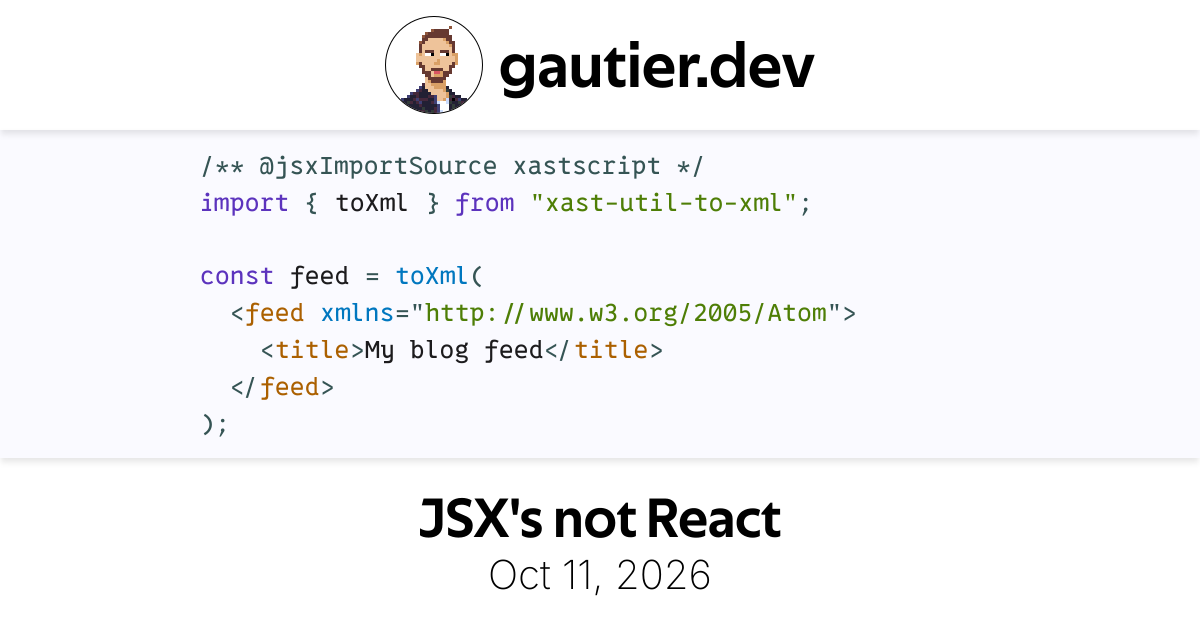
Perfect transition to close this article: please share it on the World Wide Web to see this OG image in action!